Fancy Text Generator – Stylish Fonts for Social Media
Create cool, stylish, and aesthetic text instantly with 150+ fancy font styles. Just type, copy, and paste anywhere – Instagram, TikTok, Discord, Twitter & more. Free and easy to use.
Click any style below to copy it, then paste it anywhere.
What is a fancy text generator?
A fancy text generator turns ordinary typing into stylish lettering you can copy and paste anywhere. Type Fancy Text above and you get 𝓕𝓪𝓷𝓬𝔂 𝓣𝓮𝔁𝓽, 𝔉𝔞𝔫𝔠𝔶 𝔗𝔢𝔵𝔱, 🅕🅐🅝🅒🅨 🅣🅔🅧🅣 and more than three hundred other styles, each one ready to paste into an Instagram bio, a Discord name, a TikTok caption or a message.
People also call it a stylish text generator, a cool text generator, or a fancy letter generator. Whatever the name, the idea is the same: the result looks like a different font, but it is not one – which is exactly why it works in apps that never let you choose a font.
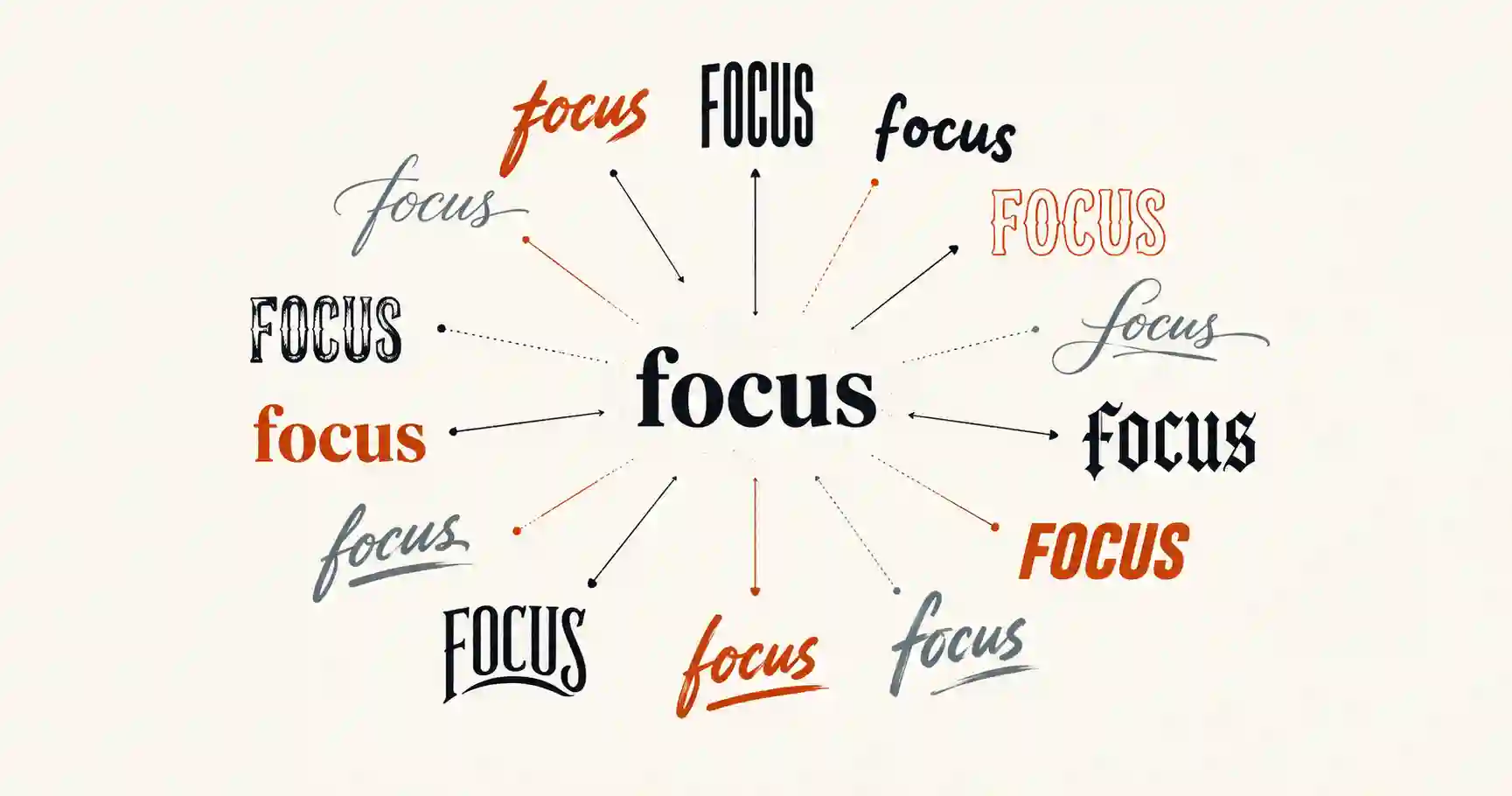
How fancy text works
Every character you type is a number in the Unicode standard – the letter A is U+0041. Unicode also contains thousands of characters that happen to look like styled letters. Most were added for mathematics: the Mathematical Alphanumeric Symbols block (U+1D400–U+1D7FF) holds complete bold, italic, script, fraktur, double-struck and monospace alphabets, because a mathematician needs 𝐱 and 𝑥 to mean different things. Other styles borrow from the circled and squared letters, the full-width forms used in Chinese and Japanese text, the small capitals of the phonetic alphabet, and combining marks that draw a line through or under a letter.
The generator swaps each of your letters for its look-alike from one of those sets. Because the result is ordinary text, it survives copy and paste, needs nothing installed, and shows up the same on the other person’s phone – provided their device has a font that covers the characters, which every current iPhone, Android phone and desktop browser does for the common styles.
How to use it
- Type or paste your text into the box at the top of the page. A name, a bio line or a whole sentence all work.
- Scroll the styles. Every style updates as you type, grouped from the most popular down.
- Tap a style to copy it, then paste it wherever you want it. Nothing to download, no account, no limit.
Popular fancy text styles
These are the styles people copy most. Each has its own page with more variations and notes on where it works best.
| Style | Looks like | Good for |
|---|---|---|
| Bold text | 𝐅𝐚𝐧𝐜𝐲 𝐓𝐞𝐱𝐭 | Making one word stand out in a caption or bio |
| Cursive and script | 𝓕𝓪𝓷𝓬𝔂 𝓣𝓮𝔁𝓽 | Elegant names and signatures |
| Aesthetic fonts | ℱ𝒶𝓃𝒸𝓎 𝒯ℯ𝓍𝓉 | Soft, decorative Instagram and Tumblr bios |
| Bubble and cool letters | Ⓕⓐⓝⓒⓨ Ⓣⓔⓧⓣ | Playful usernames and headings |
| Small text | ꜰᴀɴᴄʏ ᴛᴇxᴛ | A quiet second line under your bio |
| Wide and vaporwave | Fancy Text | Retro, spaced-out aesthetic text |
| Strikethrough | F̶a̶n̶c̶y̶ T̶e̶x̶t̶ | Jokes, corrections and “before” prices |
| Upside-down text | ʇxǝꓕ ʎɔuɐℲ | Pranks and eye-catching comments |
| Glitch and Zalgo | F̷͓a̴̫n̸͙c̵͎y̶͚ | Horror, gaming and creepy-pasta names |
| Gothic (fraktur) | 𝔉𝔞𝔫𝔠𝔶 𝔗𝔢𝔵𝔱 | Metal, tattoo-style and medieval lettering |
| Double-struck | 𝔽𝕒𝕟𝕔𝕪 𝕋𝕖𝕩𝕥 | Clean, outlined headings |
| Monospace | 𝙵𝚊𝚗𝚌𝚢 𝚃𝚎𝚡𝚝 | A typewriter or code look |
Looking for letters you can decorate further? The text decorator wraps any style in symbols, and the symbols page has hearts, stars and arrows to copy on their own.
Stylish text, cool text and text styles
People search for this tool under a lot of names – stylish text, a stylish text maker, cool fancy fonts, text styles, font styles. They all end up here, because they all describe the same thing: letters restyled so that the look travels with the text. The words do hint at different tastes, though, and knowing which you are after makes the list above quicker to scan.
Stylish text
Stylish usually means elegant and readable: 𝓢𝓽𝔂𝓵𝓲𝓼𝓱 script, 𝑺𝒕𝒚𝒍𝒊𝒔𝒉 bold italic, or ꜱᴛʏʟɪꜱʜ small capitals. These are the styles that suit a name, a small business bio or a signature line, where you want polish without making people work to read it.
Cool text
Cool tends to mean louder and more playful: 🅒🅞🅞🅛 bubble letters, 🄲🄾🄾🄻 squared ones, ʇxǝʇ looɔ upside-down text, or the spaced-out cool look of wide text. These work best in short bursts – a gamer tag, a heading, one word in a caption – rather than a whole paragraph.
Text styles and font styles
In a word processor a font style is something you switch on: you select a word, press bold, and the program draws the same letters with a heavier font. Instagram, TikTok and most other apps have no such button, and whatever formatting you add is stripped when you paste. A text style made from Unicode characters gets around that, because the style is part of the letters themselves rather than an instruction about how to draw them.
A good rule when mixing styles: pick one for the thing you want noticed, keep everything else plain, and add a symbol or two rather than a third style. A bio that uses five styles reads as noise; one styled name above a plain sentence reads as a choice.
Fancy letters from A to Z
If you only need one letter – an initial for a profile name, or a single fancy i to replace a plain one – copy it from the table below. It shows every letter of the alphabet in five of the most widely supported styles, plus small capitals.
| Letter | Bold | Script | Gothic | Double-struck | Bubble | Small caps |
|---|---|---|---|---|---|---|
| Aa | 𝐀𝐚 | 𝓐𝓪 | 𝔄𝔞 | 𝔸𝕒 | Ⓐⓐ | ᴀ |
| Bb | 𝐁𝐛 | 𝓑𝓫 | 𝔅𝔟 | 𝔹𝕓 | Ⓑⓑ | ʙ |
| Cc | 𝐂𝐜 | 𝓒𝓬 | ℭ𝔠 | ℂ𝕔 | Ⓒⓒ | ᴄ |
| Dd | 𝐃𝐝 | 𝓓𝓭 | 𝔇𝔡 | 𝔻𝕕 | Ⓓⓓ | ᴅ |
| Ee | 𝐄𝐞 | 𝓔𝓮 | 𝔈𝔢 | 𝔼𝕖 | Ⓔⓔ | ᴇ |
| Ff | 𝐅𝐟 | 𝓕𝓯 | 𝔉𝔣 | 𝔽𝕗 | Ⓕⓕ | ꜰ |
| Gg | 𝐆𝐠 | 𝓖𝓰 | 𝔊𝔤 | 𝔾𝕘 | Ⓖⓖ | ɢ |
| Hh | 𝐇𝐡 | 𝓗𝓱 | ℌ𝔥 | ℍ𝕙 | Ⓗⓗ | ʜ |
| Ii | 𝐈𝐢 | 𝓘𝓲 | ℑ𝔦 | 𝕀𝕚 | Ⓘⓘ | ɪ |
| Jj | 𝐉𝐣 | 𝓙𝓳 | 𝔍𝔧 | 𝕁𝕛 | Ⓙⓙ | ᴊ |
| Kk | 𝐊𝐤 | 𝓚𝓴 | 𝔎𝔨 | 𝕂𝕜 | Ⓚⓚ | ᴋ |
| Ll | 𝐋𝐥 | 𝓛𝓵 | 𝔏𝔩 | 𝕃𝕝 | Ⓛⓛ | ʟ |
| Mm | 𝐌𝐦 | 𝓜𝓶 | 𝔐𝔪 | 𝕄𝕞 | Ⓜⓜ | ᴍ |
| Nn | 𝐍𝐧 | 𝓝𝓷 | 𝔑𝔫 | ℕ𝕟 | Ⓝⓝ | ɴ |
| Oo | 𝐎𝐨 | 𝓞𝓸 | 𝔒𝔬 | 𝕆𝕠 | Ⓞⓞ | ᴏ |
| Pp | 𝐏𝐩 | 𝓟𝓹 | 𝔓𝔭 | ℙ𝕡 | Ⓟⓟ | ᴘ |
| 𝐐𝐪 | 𝓠𝓺 | 𝔔𝔮 | ℚ𝕢 | Ⓠⓠ | ǫ | |
| Rr | 𝐑𝐫 | 𝓡𝓻 | ℜ𝔯 | ℝ𝕣 | Ⓡⓡ | ʀ |
| Ss | 𝐒𝐬 | 𝓢𝓼 | 𝔖𝔰 | 𝕊𝕤 | Ⓢⓢ | ꜱ |
| Tt | 𝐓𝐭 | 𝓣𝓽 | 𝔗𝔱 | 𝕋𝕥 | Ⓣⓣ | ᴛ |
| Uu | 𝐔𝐮 | 𝓤𝓾 | 𝔘𝔲 | 𝕌𝕦 | Ⓤⓤ | ᴜ |
| Vv | 𝐕𝐯 | 𝓥𝓿 | 𝔙𝔳 | 𝕍𝕧 | Ⓥⓥ | ᴠ |
| Ww | 𝐖𝐰 | 𝓦𝔀 | 𝔚𝔴 | 𝕎𝕨 | Ⓦⓦ | ᴡ |
| Xx | 𝐗𝐱 | 𝓧𝔁 | 𝔛𝔵 | 𝕏𝕩 | Ⓧⓧ | x |
| Yy | 𝐘𝐲 | 𝓨𝔂 | 𝔜𝔶 | 𝕐𝕪 | Ⓨⓨ | ʏ |
| Zz | 𝐙𝐳 | 𝓩𝔃 | ℨ𝔷 | ℤ𝕫 | Ⓩⓩ | ᴢ |
Look closely at the gothic ℭ ℌ ℑ ℜ ℨ and the double-struck ℂ ℍ ℕ ℙ ℚ ℝ ℤ. They come from an older part of Unicode than the rest of their alphabet, because those letters were already in use as mathematical symbols – ℝ for the real numbers, ℂ for the complex ones – before the full alphabets were added. That is why they can look slightly different from their neighbours in some fonts. Small capitals have a similar gap: there is no widely supported small-capital Q or X, so ǫ and an ordinary x stand in for them.
Decorative letters like a fancy H
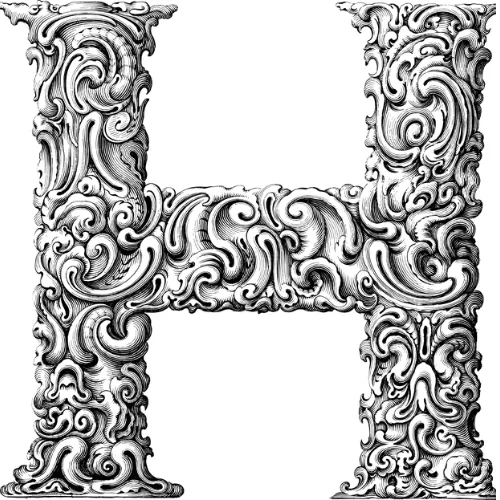
Hand-drawn capitals like the one above – the illuminated initials of old books, or a monogram on a wedding invitation – are artwork, so no app will accept them as text. The nearest you can paste are the bold gothic 𝕳 and the bold script 𝓗, both of which carry some of that flourish. For a monogram you will print or put on a website, set the letter in a decorative font in a design app instead, or use the artwork itself as an image.
Crazy, glitch and gaming text
Crazy text breaks the rules on purpose. Glitch, or Zalgo, text stacks combining marks above and below each letter until it looks corrupted – F̷͓a̴̫n̸͙c̵͎y̶͚ – and the more marks you add, the further it spills into the lines around it. Weird text swaps each letter for a look-alike from another alphabet, such as ₵Ø₱Ɏ, so the word is still readable but looks like a currency sign or a foreign script. Both have their own tools with more control: the Zalgo text generator lets you choose how intense the glitch gets, and the weird text generator has the look-alike alphabets.

For gaming, check the rules before you fall in love with a name. Many games and platforms only accept plain letters and numbers in the name other players see, and length limits are tight – an Xbox gamertag allows 12 characters and a PlayStation online ID 16. Styled text usually works better in a clan tag, a Discord server or a stream title than in the account name itself. For ideas that fit those limits, try the gamertag generator or the gaming name generator.
Where fancy text works
Almost anywhere you can type, with a few exceptions worth knowing before you paste.
- Instagram – works in your bio, your display name, captions, comments and stories. It does not work in your username (the @handle), which only allows letters, numbers, full stops and underscores. The bio limit is 150 characters. Instagram fonts
- TikTok – works in your bio, name and captions; the bio holds 80 characters. TikTok fonts
- Discord – works in display names, server nicknames, channel names and messages. Discord fonts
- X (Twitter) – works in posts, your bio and your display name, which is capped at 50 characters. Twitter fonts
- Facebook – works in posts, comments and page names, but the personal name on your profile usually rejects styled letters. Facebook fonts
- WhatsApp, Telegram and Messenger – work everywhere you can type, including your about line.
- Games – many accept styled names; some only allow plain Latin letters. Try the gaming name generator for ideas.
Fancy text on iPhone, Android, iPad and computer
The generator runs in your browser, so there is no app or keyboard to install on any device. Copying and pasting is the only part that differs:
- iPhone and iPad – tap a style to copy it, then touch and hold in the text field of any app and choose Paste.
- Android phones and tablets – the same: tap to copy, then touch and hold and choose Paste. If your keyboard has a clipboard button, your last few copies wait there too.
- Windows, Mac and Chromebook – click a style to copy it, then press Ctrl+V, or Cmd+V on a Mac.
You need an internet connection while you type, because the styles are built as you go. The text you copy is a different matter: it is ordinary text, so once it is pasted it stays styled everywhere, online or off.
Fancy text or a real font?
If you are designing a website, a logo or a printed page, you want a real font file rather than Unicode look-alikes: it can be styled, searched and read aloud properly. The font generator covers the copy-and-paste side in more depth, and the web font tools help when you are working with font files themselves. For text you want to drop straight into an app, fancy text is the right tool.
Things to know before you paste
- People search for plain letters. A name written in 𝓼𝓬𝓻𝓲𝓹𝓽 is a different string of characters, so it will not match someone typing it normally, and a styled hashtag is a different hashtag. Keep the words you want to be found by in plain text and style the rest.
- Screen readers struggle with it. Many read styled letters one by one, or by their Unicode names, so keep essential information – prices, dates, instructions – in ordinary text.
- An empty box means a missing font, not a broken tool. Older phones and some games lack fonts for the rarer styles; the bold, italic and script styles are the safest.
- Some styles cost extra characters. Strikethrough, underline and glitch text add an invisible mark to every letter, so they fill a character limit faster than they look.